SQL Data Cleaning using Housing Sales Data
Some of the SQL techniques used:
ALTER Table, ALTER COLUMN data type, ISNULL(), splitting address into separate columns (address, city, state) using SUBSTRING() & PARSENAME()
Introduction
This project uses housing sales data from Nashville, TN including information such as: SaleDate, PropertyAddress, SalePrice, TotalValue, YearBuilt, Unique ID, and Parcel ID which is unique to a property
To view all of the code, please visit the GitHub Repository linked here: SQL Data Cleaning GitHub Repository. I have highlighted a few parts of the project below.
Cleaning the Date data by removing unused timestamps
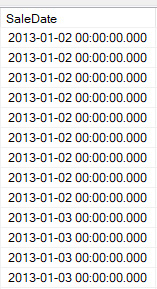
The column "SaleDate" includes the date and also a timestamp that only contains "00:00:00.000"
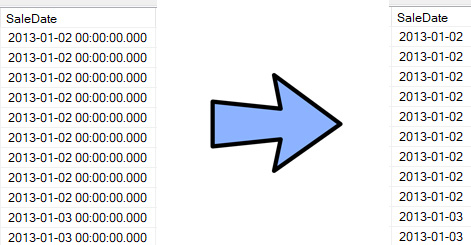
The following code was used to ALTER the table and change the data type for column SaleDate so that it no longer includes the timestamp.
ALTER Table [SQL Data Cleaning].dbo.NashvilleHousing
ALTER COLUMN SaleDate Date;

Select *
From [SQL Data Cleaning].dbo.NashvilleHousing
order by SaleDate
Populating data that was left blank
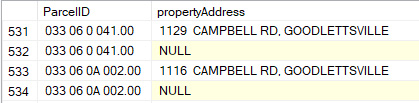
Some of the data for "PropertyAddress" was left blank, but since the "ParcelID" and "PropertyAddress" should always be connected. Any blank address that have a ParcelID should actually have the same address as any other row with the same ParcelID number.
By sorting the data by ParcelID, we can see two examples below where the PropertyAddress is NULL, but there's another row above the NULL value with the same ParcelID and a complete address in the "PropertyAddress" column

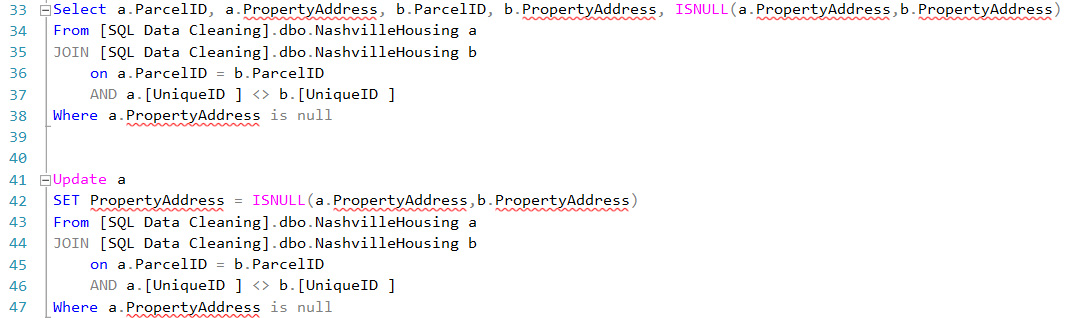
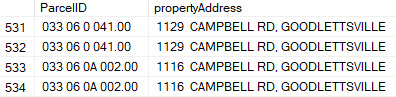
In order to find matching ParcelIDs and use their address in the blank address, two temporary tables (a & b) were created from the original table to compare ParcelID values in each table and replace any NULL addresses with the value in any matching ParcelID rows. ISNULL() was used to look for "a.PropertyAddress" values that are NULL and replace them with "b.PropertyAddress" that are not NULL.
Separating address data into individual columns (address, city, & state)
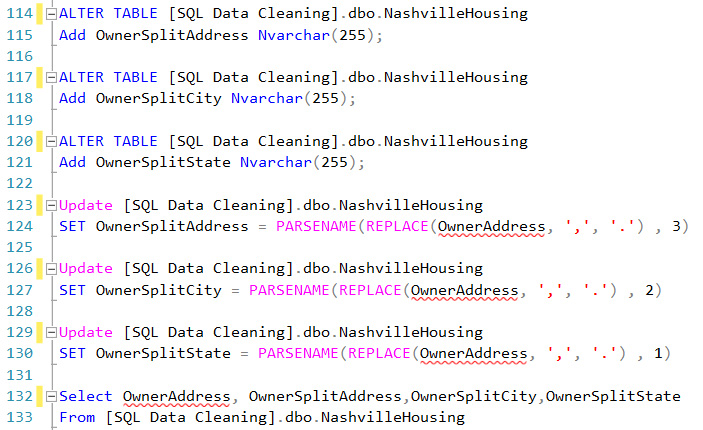
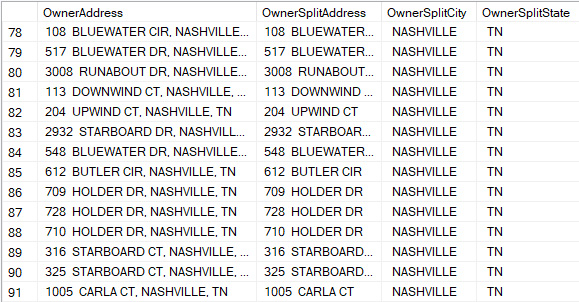
To make the data more usable in the future, it is useful to split the address into separate columns for the address and city. Below is an example of this using PARSENAME() and using commas as the delimiter since commas are only used to separate the address from city and state.